
Managing an IPTV business manually is a headache. Activating users one by one, tracking payments in spreadsheets, and responding to Where’s my login? messages kills your time and slows growth.
The smarter move is automation. If you’re wondering how to build an IPTV website with WHMCS and WordPress, the goal is simple: create a system where users sign up, pay, and get access instantly without you lifting a finger.
With the right setup, you can turn your IPTV service into a fully automated subscription business. WordPress handles the frontend, WHMCS manages billing and users, and your IPTV panel connects everything behind the scenes.
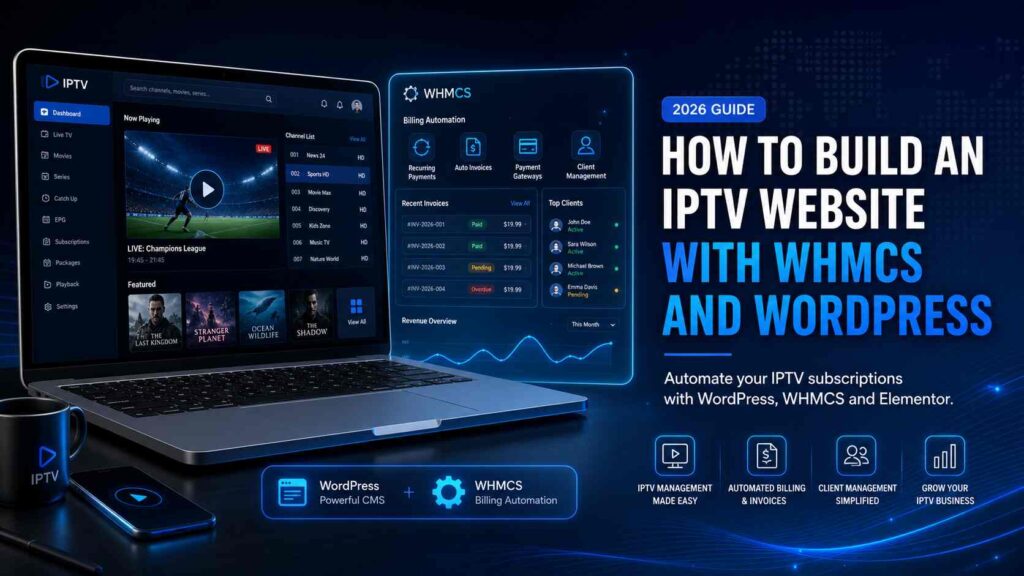
What is the best way to automate IPTV billing?
The most effective way to automate IPTV billing is by integrating WHMCS with a WordPress website powered by WooCommerce or Elementor. This setup allows automatic user registration, payment processing, and IPTV account activation through API, creating a fully hands-off subscription system.
Why Automating Your IPTV Billing is Crucial for Growth
Manual systems break fast when you start scaling.
Here’s what typically happens without automation:
- Delayed account activation leads to lost sales
- Customers lose trust when delivery isn’t instant
- Payment tracking becomes messy and error-prone
- You spend more time managing users than growing the business
Automation fixes all of that.
With a proper automated IPTV billing website, you get:
- Instant account activation (24/7) after payment
- Recurring billing for subscriptions without reminders
- Professional client dashboard for users
- Scalable infrastructure that handles hundreds or thousands of customers
It also positions your brand as reliable, not just another reseller.
Step 1: Choosing the Right IPTV WordPress Template
Your website design directly impacts conversions. A slow or outdated layout will push users away, especially in a competitive IPTV market.
Focus on:
- Fast loading speed (Core Web Vitals optimized)
- Clear pricing tables and plans
- Mobile responsiveness
- Simple checkout flow
Instead of building from scratch, use a purpose-built IPTV WHMCS WordPress theme.
A solid option is premium Elementor-based templates like:
These are designed specifically for IPTV providers and come with:
- Pre-built sales pages tailored for IPTV
- WooCommerce compatibility
- Clean UI optimized for conversions
- No coding required
You can launch a polished site quickly without hiring a developer.
Step 2: Setting Up WHMCS for IPTV Automation
WHMCS is the backbone of your billing system. It handles everything from payments to account creation.
Here’s a simplified setup flow:
- Install WHMCS on your hosting
- Configure payment gateways (Stripe, PayPal, crypto, etc.)
- Set up products and pricing plans (monthly, quarterly, yearly)
- Connect your IPTV panel via API (Xtream UI, XUI One, etc.)
- Configure automation settings:
- Auto account creation after payment
- Suspension on non-payment
- Renewal reminders
This is where IPTV billing automation becomes powerful. Once configured, every order triggers:
- Payment confirmation
- Account creation
- Login delivery to the customer
No manual steps required.
Step 3: Designing the Frontend with Elementor
Now comes the visual part your sales website.
Using Elementor with a ThemeEight template:
- Import the demo content in one click
- Replace text, logos, and images
- Adjust pricing tables to match WHMCS plans
- Customize colors to match your brand
Everything is drag-and-drop.
You can also align your frontend with the WHMCS client area by:
- Matching color schemes
- Using consistent pricing structures
- Linking order buttons directly to WHMCS checkout
This creates a seamless experience from landing page to payment.
Frequently Asked Questions
Can I use WooCommerce instead of WHMCS?
Yes, but WooCommerce alone is not ideal for IPTV automation. WHMCS is built for subscription billing and client management, especially when integrating with IPTV panels via API.
Do I need coding skills to use Elementor IPTV templates?
No. Elementor is fully visual. You can build and customize your IPTV website without touching code.
How long does it take to launch an automated IPTV site?
With the right template and WHMCS setup, you can launch a basic automated site in 1–2 days. Experienced users can do it in a few hours.
Conclusion: Launch Your Automated IPTV Site Today
If you want to grow your IPTV business, automation isn’t optional anymore. A combination of WordPress for frontend design and WHMCS for backend billing gives you a system that runs 24/7 without manual effort.
Start with a conversion-focused template, connect your billing system, and let automation handle the rest.
If you want the fastest path, check out ThemeEight’s optimized IPTV templates. You can go from zero to a fully functional IPTV website in under 30 minutes without coding.
